

Business
Graphics and Design for Your Business: Logos, Social, Print and Image Rights
By the ForLowerBills team
Good design helps people remember you, trust you and pick you over the shop down the street. You don't need an art degree or a big budget to look professional. Here's how we'd approach logos, everyday graphics and print, when we'd do it ourselves, when we'd hire help, and how to stay on the right side of image rights.
Last updated: October 15, 2026 · Sources checked: October 15, 2026
1. Logo and branding basics
Your brand is more than a logo. It's the consistent look and feel people see every time they run into your business. Start small and keep it simple:
- A simple logo that still reads when it's tiny (a social profile picture) and when it's in one color (a stamp, an invoice or embroidery).
- Two or three brand colors. Write down the exact color codes so every graphic, sign and web page matches.
- One or two fonts: one for headings and one for body text. Check that the font's license allows business use.
- A one-page style sheet with your logo files, colors, fonts and a few do's and don'ts. Share it with anyone who makes anything for you.
- Get the right files: a vector version (SVG, AI, EPS or PDF) for signs and print, plus PNG files with a transparent background for the web.
2. Check your name and logo before you invest
Before you print anything, search to make sure your name and logo aren't too close to another business's in your field. The U.S. Patent and Trademark Office explains trademark basics (opens in a new tab) and has a free search tool. You can start using a name or logo without registering it, but federal registration adds protections. If you're unsure, a trademark attorney can help.
Trademarks, copyrights and patents protect different things. The USPTO has a short explainer on the differences (opens in a new tab).
4. Photo editing without the headache
A recent phone camera is enough for most small business photos. Shoot in natural light, wipe the lens, hold steady and take several shots. Then do light edits: crop, straighten, brighten and fix color so whites look white.
Free and low-cost editors cover most needs, including the editors built into phones, browser tools like Canva and Adobe Express, and free open-source desktop software like GIMP. Keep your edits honest. Don't change a photo of a product or result in a way that would mislead a customer.
Get permission before you post photos of customers or employees, and keep a simple record of who agreed.
5. Print: cards, flyers, signs and more
- Proof everything twice: phone number, website, address, spelling and hours. A typo on 500 cards is an expensive lesson.
- Ask the printer for their specs before you design: size, bleed (extra image past the trim edge), safe margins, color mode (often CMYK) and file type (often a high-resolution PDF).
- Use high-resolution images. Something that looks fine on screen can print blurry. Many printers suggest 300 dpi at the final print size.
- Order a small run or a single proof first for anything big, like signs, vehicle wraps or large orders.
- Compare a few local and online printers. Local shops can often help fix a file and let you see paper samples in person.
6. Templates: a fast start, with a few cautions
Templates are a great way to look polished quickly. A few cautions:
- Make it yours. Change the colors, fonts and layout enough that it matches your brand and doesn't look like everyone else's.
- Read the template license. Many tools let you use templates in your marketing but don't let you use template elements as your logo or trademark. Check the terms before you build your logo from one.
- Save your own master files so you're not locked into one tool forever.
7. DIY tools or hire a designer?
DIY makes sense when you need lots of everyday graphics (social posts, simple flyers), you have more time than budget, and you're comfortable learning a tool. Popular options include Canva, Adobe Express, GIMP and the design features built into many website builders.
Hiring makes sense when you're creating your logo and core brand, you need print files done right (signs, packaging, vehicle wraps), or your time is worth more on paying work. A good designer can set you up with a logo, colors, fonts and templates you can then use yourself.
If you hire anyone, get a written agreement that lists what you'll receive (file types and versions), the number of revisions, the timeline, the price, and, most important, that the copyright in the final work is transferred to you in writing. Ask to see past work and confirm they created it.
AI image tools can help with ideas and quick drafts. Review the tool's terms for business use, check results carefully for errors and lookalikes of other brands, and know that the U.S. Copyright Office has said material generated by AI without enough human creative input generally can't be protected by copyright. See its copyright and AI resources (opens in a new tab). That matters most for your logo, which you'll want to be able to protect.
8. Licensing and image rights, in plain language
Copyright is automatic. Under U.S. law, a photo, illustration or design is protected by copyright as soon as it's created and saved, whether or not it has a copyright notice. See the U.S. Copyright Office's Copyright Basics (opens in a new tab). An image you found online isn't free to use just because it's easy to download.
Paying a designer doesn't automatically make you the copyright owner. For many projects done by an independent contractor, the creator keeps the copyright unless there's a signed written agreement that transfers it or the work fits a narrow legal category. The Copyright Office explains works made for hire (opens in a new tab). Get it in writing.
- Stock photos and graphics come with a license that spells out what you can do. Read it, especially for uses like logos, products for resale, print runs or ads.
- Creative Commons images can be used under the terms the creator chose, which may require credit, ban commercial use or ban changes. Creative Commons explains each license type (opens in a new tab).
- Fonts are licensed software too. Make sure your font's license covers your use, such as a logo, a website or printed products.
- Fair use is a narrow, case-by-case legal defense, not a permission slip for marketing. The Copyright Office has a fair use overview (opens in a new tab).
- Keep records: where each image came from, the license or receipt, and any signed releases or agreements.
9. Put your graphics to work on your own website
Your website is where all of this comes together. Use the same logo, colors and fonts there as on your social pages, cards and signs so people instantly know it's you.
- Show your work with a simple portfolio or gallery page: real photos of jobs, products or before-and-afters, each with a short caption.
- Keep it consistent: use your style sheet when you or anyone else builds pages, so buttons, headings and images all match.
- Size images for the web so pages load fast on phones, and add short alt text that describes each image.
- Builders make this easier. Website builders and AI app and website builders such as Base44 and Lovable can help you lay out a portfolio or gallery quickly. You can find partner options in the recommended links on this page.
10. Next step: build or refresh your site
Our guide How to Build a Website or App for Your Business walks through planning, costs, domains and hosting, no-code and AI builders, and when to do it yourself or hire help.
Frequently asked questions
Do I need a professional logo to start a business?
No. Many businesses start with a clean text logo in a good font and their brand colors, then invest in a professional logo once the business is steady. Whatever you use, keep it consistent everywhere.
If I pay a designer, do I own the logo?
Not automatically. For most work by an independent contractor, the designer keeps the copyright unless a signed written agreement transfers it to you. Ask for that transfer in your contract, along with all the final files.
Can I use images I find on Google?
Usually not without permission. Images online are generally protected by copyright. Use your own photos, images with a license that covers your use, or images whose creator clearly allows it, and follow any credit requirements.
Can I use a template from a design tool as my logo?
Check the tool's license. Many allow templates in marketing but not as a logo or trademark, because others can use the same template. A logo you or a designer create from scratch is easier to protect.
Can I copyright a logo made with AI?
The U.S. Copyright Office has said material generated by AI without enough human creative input generally isn't protected by copyright. Using AI for ideas and then creating or substantially shaping the final design yourself, or with a designer, puts you on firmer ground. Trademark rules are separate.
What file types should I get for my logo?
A vector file (such as SVG, AI, EPS or PDF) for signs and print, PNG files with a transparent background for the web and social media, and versions in full color, one color and white.
Official sources
- U.S. Copyright Office: Copyright Basics (Circular 1) (opens in a new tab)
- U.S. Copyright Office: Works Made for Hire (Circular 30) (opens in a new tab)
- U.S. Copyright Office: Fair use (opens in a new tab)
- U.S. Copyright Office: Copyright and artificial intelligence (opens in a new tab)
- USPTO: Trademark basics (opens in a new tab)
- USPTO: Trademark, patent or copyright? (opens in a new tab)
- Creative Commons: About the licenses (opens in a new tab)
- SBA: Marketing and sales (opens in a new tab)
Recommended for this topic
Some links on this page are referral or affiliate links. That means ForLowerBills may earn a commission, points, credits, cash or other payment if you sign up, buy or take an eligible action through them, at no extra cost to you. It never changes what we recommend.
Build a website or app
- Base44 (opens in a new tab): An AI app builder: describe the app or tool you need and it builds a working version you can keep shaping, without writing code.
- Domain names (opens in a new tab): Search for and register a domain name for your business or project.From our sister company Conversion Is Key.
- Website Builder (opens in a new tab): Build a website yourself with ready-made templates, no coding needed.From our sister company Conversion Is Key.
- WordPress hosting (opens in a new tab): Hosting set up for running a WordPress website.From our sister company Conversion Is Key.
- Web hosting (opens in a new tab): Hosting plans for websites, from a first site to a growing business.From our sister company Conversion Is Key.
- SSL certificates (opens in a new tab): SSL certificates that encrypt the connection to your site and show the padlock in browsers.From our sister company Conversion Is Key.
- Website security (opens in a new tab): Tools to help protect your website from malware and attacks.From our sister company Conversion Is Key.
- Systeme.io: save 30% (opens in a new tab): Save 30% on a Systeme.io plan, an all-in-one tool for funnels, email marketing, courses and online sales.From our partner store.
- Systeme.io free account (opens in a new tab): A free Systeme.io account to build a funnel and set up automations for your online business.From our partner store.
Get online
- ThriveCart Pro+ (opens in a new tab): Checkout platform for selling online, with custom checkout pages, order bumps, subscriptions and a built-in affiliate center.
- ThriveCart Standard (opens in a new tab): Checkout platform for selling courses, communities, memberships and subscriptions.
- Stan Store (opens in a new tab): A simple storefront for creators to sell digital products, courses and bookings from one link-in-bio page. This link starts a free trial.
- Professional email (opens in a new tab): A professional email address that matches your domain name.From our sister company Conversion Is Key.
- Stan Store 14-day free trial (opens in a new tab): Start your own Stan storefront to sell digital products, courses and bookings from one link.From our partner store.
Content creation and UGC
- Our partner store (opens in a new tab): A storefront of digital marketing, AI and content creation programs, plus a wellness pick.From our partner store.
- AI avatar and automation workshop (opens in a new tab): A workshop on creating an AI avatar and automations for your content and business.From our partner store.
- UGC brand deals community (opens in a new tab): A monthly community with trainings and shortcuts for landing user-generated content (UGC) brand deals.From our partner store.
- UGC Creator Advantage (opens in a new tab): A lifetime community for building a UGC portfolio, media kit, pitch and content strategy.From our partner store.
- TRYBE UGC app (opens in a new tab): An app that connects UGC creators with brands.From our partner store.
- AI video creation one-on-one session (opens in a new tab): A three-hour one-on-one session on creating UGC-style video content with AI, without filming yourself every time.From our partner store.
- Digital Boss Academy, Volume 1 (opens in a new tab): How to make money from your phone, with community access and live Zoom trainings.From our partner store.
- VIP 3-day AI challenge (opens in a new tab): A three-day challenge on creating photos and videos with AI for digital marketing, with tips and bonuses.From our partner store.
Business
- Passion Over Profits (POP) (opens in a new tab): A digital marketing program that includes master resell rights and monthly recurring revenue training.From our partner store.
- Digital marketing foundations program (opens in a new tab): Teaches the foundations of digital marketing and online business skills, with master resell rights.From our partner store.
- AI Business Builder System (opens in a new tab): Trainings on AI, affiliate marketing and building an online business with AI tools.From our partner store.
- Free digital marketing blueprint and video (opens in a new tab): A free webinar and blueprint with tips, tools and training for digital marketing.From our partner store.
- One-on-one strategy session (opens in a new tab): A 45-minute one-on-one strategy call for your digital business.From our partner store.
General information only, not medical, legal or financial advice. See all our referral and partner picks.
Related guides
The ForLowerBills team
General information only, not legal, medical, tax or financial advice.
Affiliate disclosure: some links on our site may be affiliate links. We may earn a commission, points, credits, cash or other payment at no extra cost to you. How we make money.
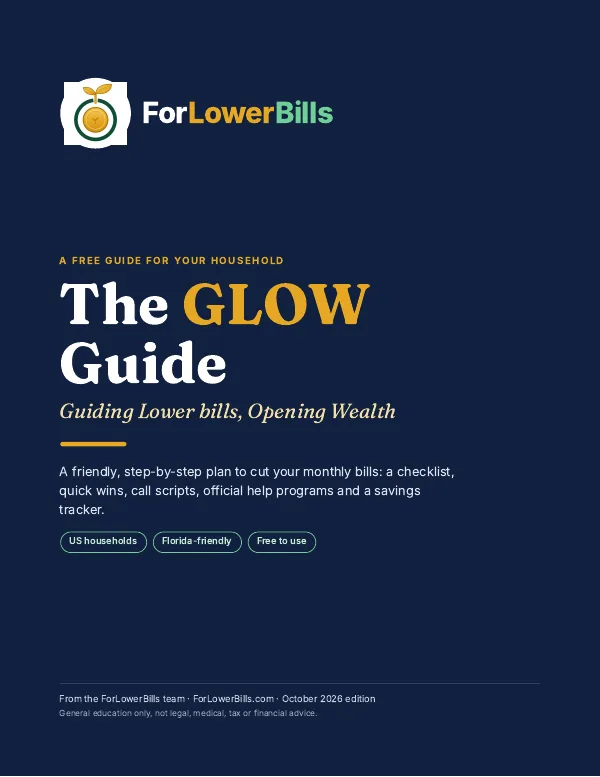
Lower your bills this week, free
- A bill-cutting checklist across 7 areas of your budget
- Word-for-word call scripts to ask for a lower rate
- A quick-wins table of things you can do this week
3. Social media graphics
Most of what small businesses design day to day is for social media: announcements, specials, tips, reviews and event posts.